

How C Teleport integrates with COMPAS
Lana · Published · Updated
Crew changes can be unpredictable, but your marine travel platform shouldn’t be.
C Teleport integrates seamlessly with COMPAS and other crew management software to automate your crew travel process. No more emails, no more retyping. Just faster, more innovative marine travel management.
This guide shows how C Teleport’s two-way integration with COMPAS automates marine travel for travel bookers and operations managers.
🚀 Request flight via planned event
✅ Most common workflow among Compas users
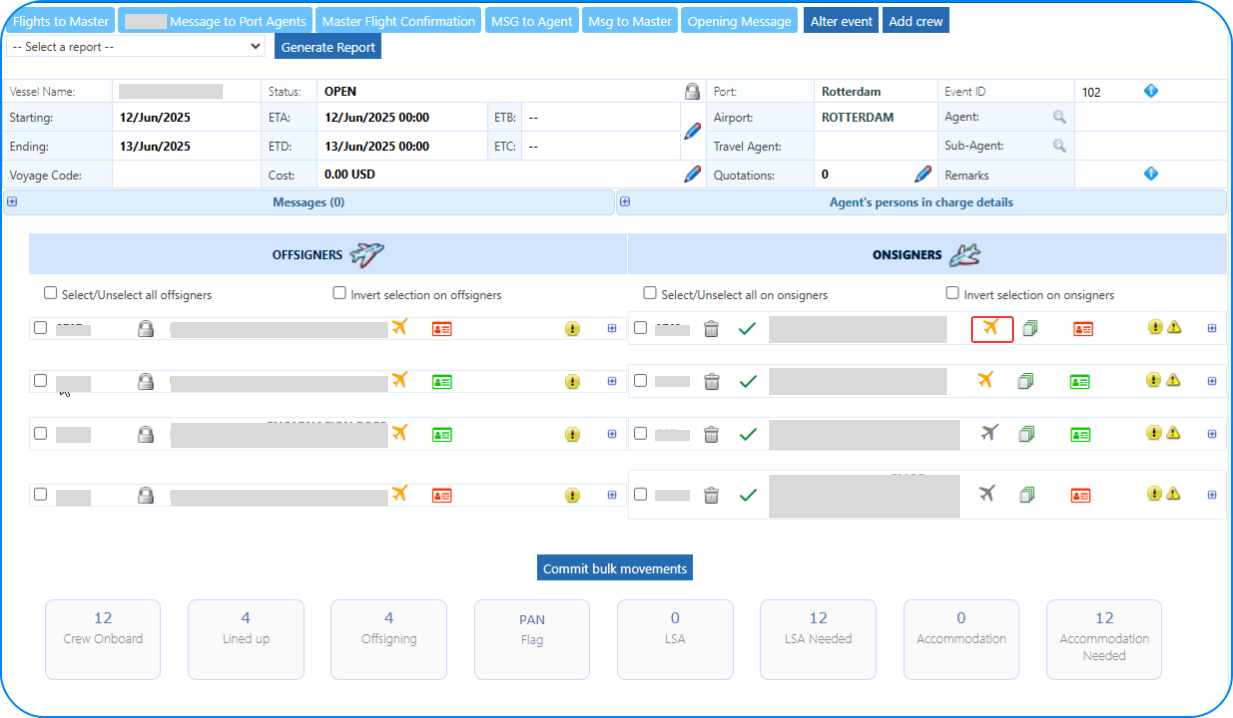
- Create a planned event in Compas
- Add your on-signers and off-signers to the event
- When ready, click ✈️ icon next to a crew member name to initiate flight booking.
⚡ Or book flight via travel ticketing menu
✅ An alternative workflow some users follow
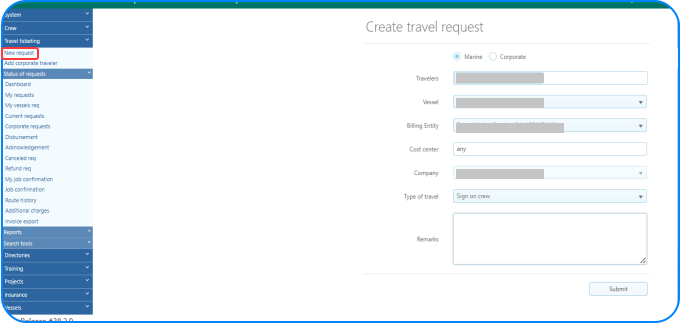
- In the Travel ticketing menu of Compas, create a new travel request
- Select vessel, cost centre, billing entity, and type of travel and submit
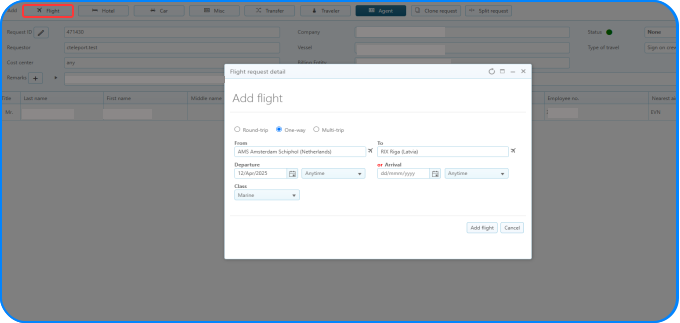
Then, in flight booking window:
- Enter departure/arrival airports, dates, and fare type
- Assign C Teleport as your agent
➡ C Teleport automatically receives the travel data
C Teleport automatically creates a ‘travel request’ with all relevant details.
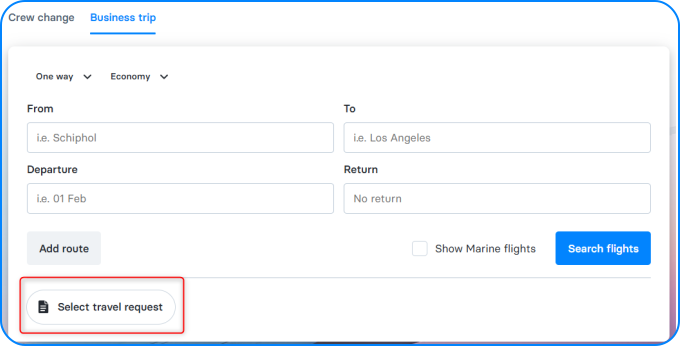
Select a travel request is already pre-filled:
- Travel dates
- Port locations (to match nearby airports)
- Crew details
- Vessel or contract info (if needed)
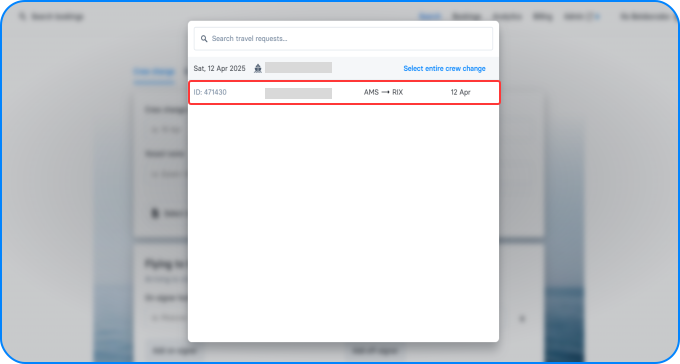
➡ Book tickets instantly in C Teleport
After selecting the travel request, search flights.
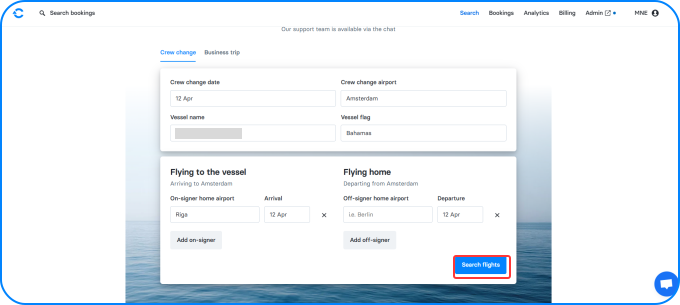
- Filter by marine fares, flexible tickets, preferred airlines, etc.
- Book instantly, with no manual entry.
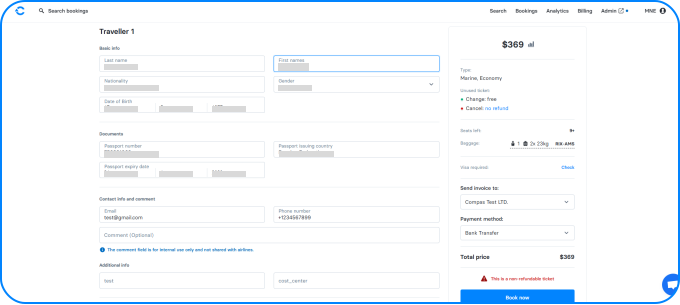
➡ Booking confirmation flows back to COMPAS
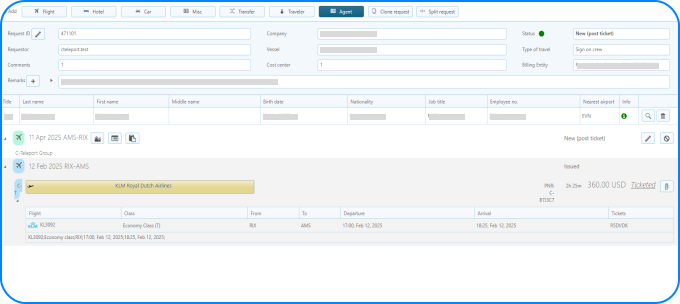
Once booked, flight details sync back to COMPAS automatically.
Everyone stays updated:
- Planners always see the latest travel status
- Crew coordinators and port agents know what’s booked
- No one has to ask, “Did we book that yet?”
✅ Works with your marine travel ecosystem
We integrate with leading marine and crew travel tools, including:
- COMPAS
- Adonis HR
- CrewInspector
- OCS HR
- Radiant Fleet
- Cloud Fleet Manager
Need to integrate another solution? Let’s make it happen with travel API.
Book your free demo today
Explore faster and error-free automated travel management with C Teleport.